














Please click here to help David McMurrey pay his web-hosting bill:
Donate any small amount you can !
Online Technical Writing will remain free.

Online Technical Writing Textbook: Release Notes

The following information been adapted with permission from an article by appcues.com (cited below).

Why most release notes go unread (and how to fix that)

Most release notes are unread. Not because users don't care about what's changing in the product, but because the notes were written for the team that shipped the feature, not the person who needs to make sense of it.

You've probably seen this before: a release note that opens with "Implemented enhanced data persistence layer for improved throughput" when what the user actually needed to hear was "Your reports now load twice as fast." The first version checks a box. The second one drives adoption.

That gap matters more than most teams realize. A release note is a product communication moment. It's the window between shipping and adoption. Get it right and users explore the thing you built. Miss it and the feature might as well not have shipped.

This article gives you what you need to close that gap: 13 release notes examples from companies that do this well (organized by what makes each one worth studying), a template you can take and adapt today, and a step-by-step writing guide that covers the fundamentals. Whether you're a product manager writing your first release note or a product marketer refining the process, you'll walk away with something you can use immediately.

What are release notes?

A release note is a brief, user-facing report published alongside new or updated software. It explains what changed, why it matters, and who it affects. For new releases, release notes give users a summary of what the product does. For updates to existing products, the notes explain what's new, what's improved, and what's been fixed since the last version.

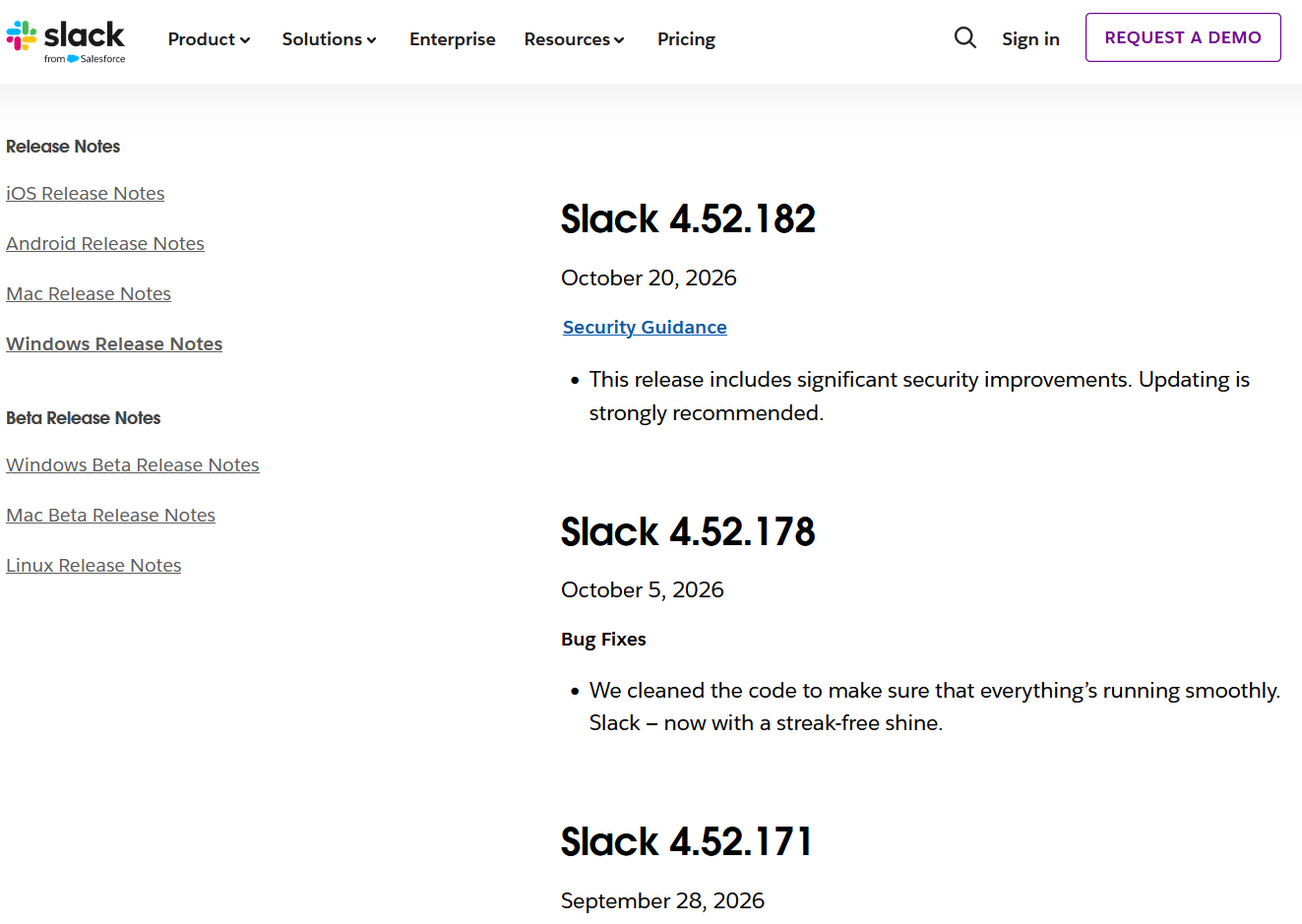
Release notes example showing previous releases

Release notes vs. changelog

The terms get used interchangeably, but they're different things. Release notes describe a specific version or update in detail: what changed, why it matters, who it affects. A changelog vs. release notes distinction worth understanding: a changelog is the running log of all release notes over time. Think of it as the archive. Many products maintain both: individual release notes for each update, and a changelog page where they all live together in reverse chronological order.

Keeping that running record matters. It shows customers the product is improving continuously and that recent changes build on older ones. It also signals that the company listens to feedback and is committed to the user experience.

Types of release notes

Not every update deserves the same treatment. The format and depth of your release notes should match the scope of the change:

Major release notes: New features, significant UI changes, new capabilities. These deserve fuller treatment with visuals, context on why the change was made, and clear guidance on how to use it.

Minor update notes: Incremental improvements, small UX changes. Shorter format works here, typically one to three lines per item.

Bug fix notes: Resolved issues. List format, plain language, with a focus on what the user experienced before versus what happens now.

Security patch notes: Brief and factual. Prioritize what was vulnerable and what was fixed without technical detail that creates confusion.

Why release notes matter

They're the bridge between shipping and using. Users who understand what changed are more likely to explore and adopt new features. Release notes are the product communication moment where you translate what the engineering team built into something the user actually wants to try. Without that translation, features go unnoticed, and feature adoption suffers as the effort your team invested in building them doesn't reach its potential.

They reduce your support team's workload. Proactive release notes reduce inbound questions about why something looks different or works differently. When users encounter a change they weren't expecting, they open a support ticket. When they've already read a clear explanation, they don't. The math is simple: document the change before users stumble into it.

They build customer trust and retention. Visible, regular release notes signal that the product is actively improving. For customers evaluating whether to renew or expand, a healthy changelog is evidence that the product is going somewhere. For customers who submitted feature requests, seeing their feedback reflected in release notes deepens loyalty.

They sharpen internal alignment. The discipline of writing good release notes, specifically answering "what changed, for whom, and why it matters," forces product teams to communicate clearly across the org. Product marketing, customer success, and sales all benefit when release communications are crisp and consistent. The release note often becomes the source of truth that other teams reference when talking to customers about what's new.

What to include in release notes

Think of this as the anatomy of a release note. Every solid release note covers these elements, though the depth varies depending on whether you're announcing a major feature or a routine bug fix:

Header line: Product name, version number or date, and environment if relevant (web, iOS, API, etc.).

Summary of changes: One or two sentences framing what this release addresses and who it affects. This is the part users read first, so make it count.

New features: Named, with brief user impact. Lead with what the user can now do, not the technical implementation.

Improvements: What changed from the user's perspective. "Search results now load 40% faster" is better than "Optimized search indexing pipeline."

Bug fixes: Plain-language description of what the user experienced before and what happens now. "The dashboard no longer freezes when filtering by date range" tells the user exactly what was wrong and that it's fixed.

Known issues or limitations: If something isn't fully resolved, say so. Users respect transparency more than they resent imperfection.

How to write release notes

Knowing what to include is the foundation. How you write it determines whether anyone actually reads it. These seven steps are ordered for flow: start with what to say, then how to say it, then how to present it.

1. Focus on the user, not the feature

This is the single most important principle in release note writing. Every change was built to solve a problem or unlock a capability for the user. Lead with that.

The instinct is to describe what your team built. Resist it. Instead, describe what the user can now do (or no longer has to deal with).

Before: "Implemented batch processing for data exports with configurable chunk sizes."

After: "You can now export large datasets without the process timing out. Exports that used to fail after 10,000 rows now handle up to 500,000."

The first version describes the engineering work. The second describes the user's experience. Write the second version.

2. Make the intent of the change clear

Users scanning release notes want two things: what changed and whether it affects them. Make both answers obvious within the first sentence of each item.

Clarity matters because web users don't read linearly. They scan. So make your release notes scannable. Highlight important keywords. Use bold text for feature names and change types. Front-load the most important information in each line.

Before: "Bug fixed and updates applied."

After: "We fixed a bug that caused unexpected crashes when switching between apps. App switching is now stable across all supported devices."

The first version is short but tells the user nothing. The second is still concise but answers the questions the user actually has.

3. Use plain language

Release notes can serve different purposes: promoting new features, building a relationship with the user, helping people find solutions. But none of that works when the notes are full of technical jargon that only your engineering team understands.

Unless you know your audience will easily comprehend specialist language, ease up on the jargon. Use straightforward, understandable phrasing. A good test: read the release note out loud to someone who doesn't know the technical background. If they get it, your users will too.

Before: "We have implemented the ability to use Graphics Interchange Format bitmap images which includes file compression, transparency, interlacing and storage of multiple images within a single file for our messaging service."

After: "You can now use GIFs in our messaging service."

Plain language isn't dumbing things down. It's respecting your user's time.

4. Add visuals for complex changes

If your release note needs a lengthy written explanation, that's a signal to add a visual instead. A short GIF or annotated screenshot showing a feature in action communicates more than two paragraphs of description for any UI change.

This is especially useful for:

New UI elements or layout changes (show the before and after)

New workflows or multi-step features (a 15-second screen recording)

Data visualization features (a screenshot of the actual output)

Visuals reduce the burden on the reader and make your release notes more memorable. When a change is visual by nature, show it visually.

5. Organize for scanning

Users become numb when asked to read a wall of text. Keep things organized and segmented with subheadings, categories, bullet points, and paragraph breaks. Breaking up large blocks of text helps users find which changes apply to them without reading everything.

Good organizational patterns include:

Grouping changes by type: new features, improvements, bug fixes

Using labels or tags (like "New," "Improved," "Fixed") for quick scanning

Adding a brief summary at the top for users who only want the highlights

Using collapsible sections for detailed technical notes that only some users need

6. Use a template and stick to it

Consistency is a feature, not a limitation. When your release notes follow a predictable structure, users learn where to look for the information they care about. They'll spend less time parsing and more time understanding.

Pick a template (there's one in the next section you can copy), customize it for your product, and use it every time. This also speeds up the writing process for your team, since the structure is already decided.

7. Match your brand voice, not your engineering voice

Your release notes should sound like your brand, not like a commit message. If your brand is warm and approachable, your release notes should be too. If your brand is precise and professional, match that.

The key is to be genuine without overdoing it. You can add personality without sacrificing clarity. A little warmth goes a long way, but heavy self-promotion erodes trust. A useful guideline: 80% of the content should be genuinely useful information, and only 20% should reflect brand positioning or voice.

What to avoid: "We're here to revolutionize your workflow, something we've done successfully with every update. You're welcome. Our new hotfix includes 50% less energy consumption."

Better: "Bugfix: Software now reduces end-user energy consumption by 50%. One of many ways we're working toward a more sustainable future."

The first version inflates the brand and overpromises before mentioning the change. The second tells you the fix, then adds the brand angle naturally.

Release notes template

Here's a release notes template you can copy and adapt. It covers the essentials for most updates. Adjust the depth based on the scope of your release: major releases get more detail per feature, minor releases can compress sections, and bug-fix-only releases can skip the "What's new" block entirely.

[Product name] release notes - [Version number or date]

Summary: [1-2 sentence overview of what this release addresses and who it affects]

What's new

- [Feature name]: [What it does and why it matters to the user]

- [Feature name]: [What it does and why it matters to the user]

Improvements

- [What changed] - [How it affects the user's experience]

Bug fixes

- [What the user experienced before] - [What happens now]

Known issues

- [Issue description] - [Workaround or timeline if available]

Questions? [Link to help docs or support contact]

How to adapt the template: For a major release with three new features, expand the "What's new" section with a paragraph per feature. For a minor release with five small improvements, you can combine "What's new" and "Improvements" into a single list. For a bug-fix-only release, lead with the fixes and drop the feature sections entirely. The structure should serve the content, not the other way around.

13 release notes examples, organized by what they do best

The examples below are organized into five categories based on what each company's release notes do particularly well. For every example, you'll find: what the company does, what their release notes get right, and a specific, transferable lesson you can apply to your own.

Related Information

13 release notes examples (and what makes them work). appcues.com

Information and programs provided by admin@mcmassociates.io.